The Quick Answer (TL/DR)
Looking for a free email marketing platform to test your business idea?
ConvertKit’s free plan looks polished with great forms and landing pages, BUT:
- Lengthy onboarding process
- AI assistant gatekeeper that can lock your account
- Best for: Email capture and list building only (if you can get past setup)
Systeme.io’s free plan is less fancy but actually works:
- Live sales funnel in under 2 hours
- No gatekeepers or account lockouts
- Best for: Testing complete business ideas fast (landing page + email sequence + course hosting)
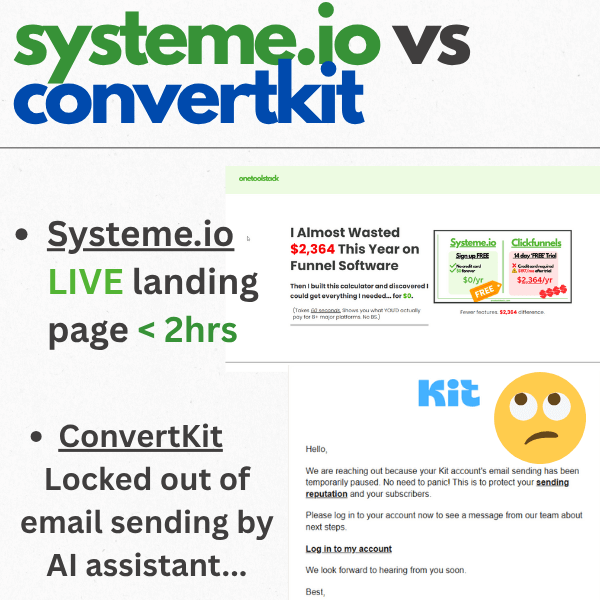
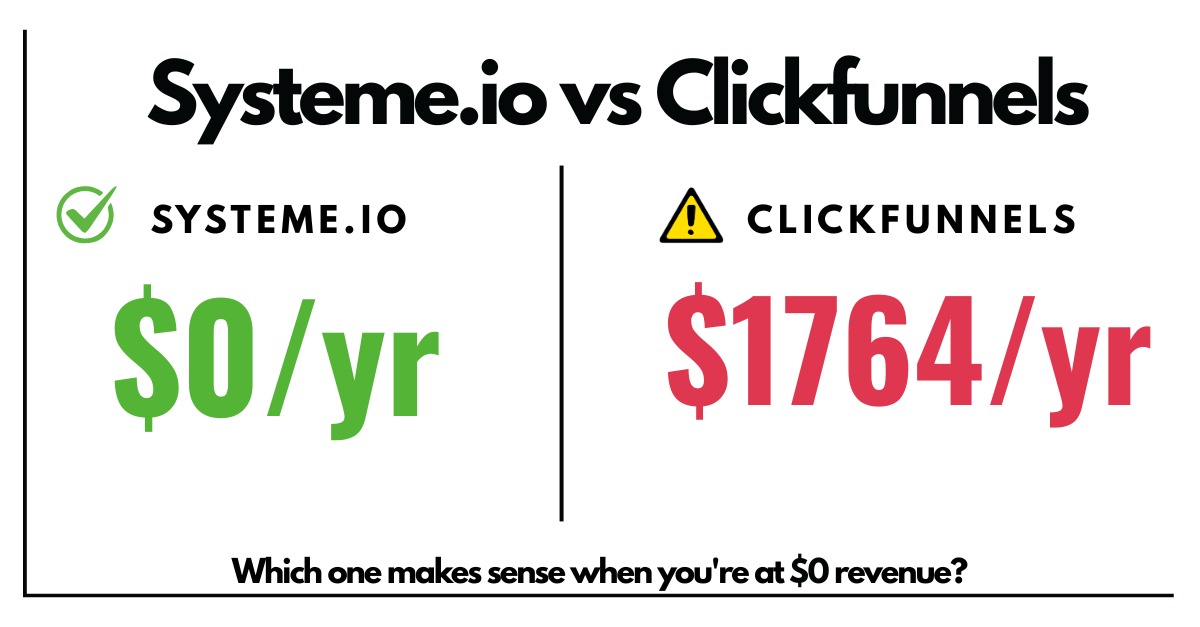
Bottom line: If you’re at $0 revenue and need to test fast, Systeme.io gets you live. ConvertKit looks prettier but locked me out before I could send a single email.
Already Convinced? Find Your Perfect Systeme.io Plan
Find Your Perfect Systeme.io Plan
Answer 10 quick questions and we’ll recommend the perfect plan for your business needs and budget.
Analyzing your plan…
Keep reading for the full timeline, screenshots, and who should use which platform.
The Setup: Testing Two Free Plans in One Morning
It’s 10:11 AM on a Tuesday.
I’m sitting at my desk with one goal: Test both Systeme.io and ConvertKit free plans to see which one can get me from zero to a testable business idea faster.
My criteria:
- Build a landing page with the same copy
- Set up a 6-email sequence
- Connect everything so it actually works
- Time how long each takes
Why this matters: I’m at $0 revenue. Every hour counts. I need tools that work fast, not platforms that require a PhD to get started.
I already tested Systeme.io a few weeks ago and got a basic funnel live. But I keep hearing about ConvertKit’s free plan being “the best for creators.” So let’s see if the hype is real.
Spoiler: It wasn’t.
Round 1: ConvertKit Free Plan (10:11 AM – 11:39 AM)
First Impressions: Polished, But Questions. So Many Questions.
I land on Kit’s homepage (they rebranded from ConvertKit to Kit, apparently). Clean design. Easy to find the signup button.
I enter my email and… wait, that’s it? No “check your email to confirm”?
Nice. I’m already logged in.
Then the onboarding quiz starts.
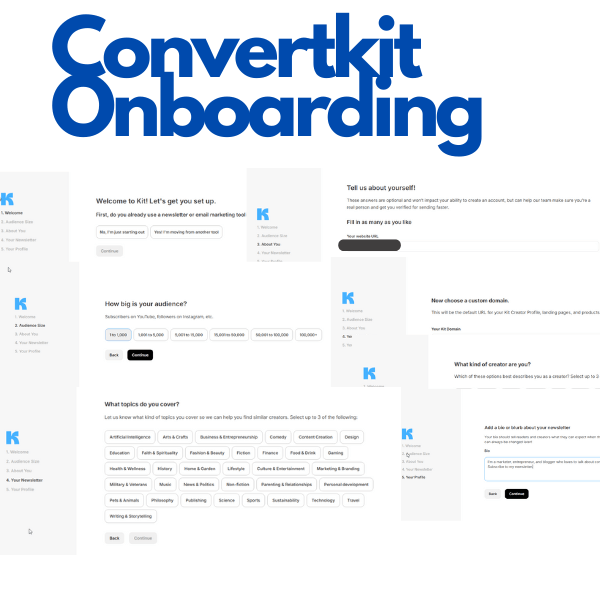
The questions:
- Do I have an email list? (No)
- How big is my audience? (0-1,000)
- What’s my business website? (I skip this – I don’t have one yet)
- Assigning my Kit domain
- What kind of creator are you?
- What topics do you cover?
- Profile picture setup (SKIP)
- Add a bio section (SKIP)
My exact thought at this point: “What is this, 20 questions?
Finally, I hit submit and I’m in.
The Dashboard: Pretty, But Overwhelming
First impression when the dashboard loads: Whoa. This looks really nice and polished.
But there’s a LOT going on.
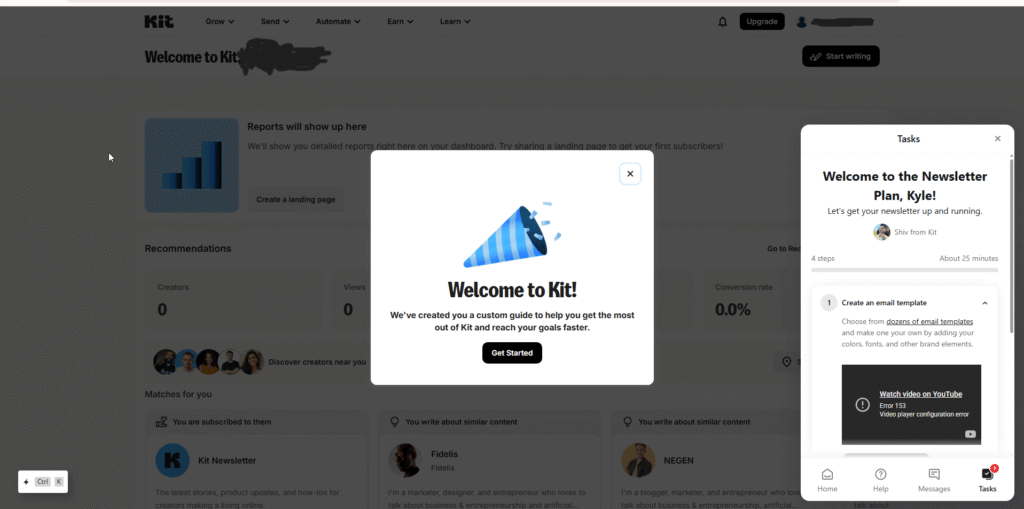
There’s a “Get Started” popup with an AI assistant ready to help me.
I close it immediately. I want to explore myself.
The main menu has:
- Grow
- Send
- Automate
- Earn
- Learn
Here’s my honest take: Kit looks prettier than Systeme.io, but it’s way more overwhelming.
When I first logged into Systeme.io, it was just a blank dashboard and a simple menu. For someone unsure about what these tools even do, Systeme.io’s minimalism is a huge plus. You’re not immediately hit with AI agents and “Start Here” guides.
Kit? It’s like walking into a Best Buy as a kid. Everything’s shiny and makes noise.
Exploring the Features: Kit Shines for Email Capture
Let me walk through what I found in each menu section.
GROW Menu:
- Subscribers (your email list)
- Creator Profile (still not sure what this is – seems like a blog hub?)
- Landing Pages and Forms (this is where Kit starts to shine)
- Recommendations (confused about this section – it shows AI-generated accounts to follow?)
Landing Pages and Forms – This Is Kit’s Strength:
I click into landing pages and… damn. These templates look GOOD.
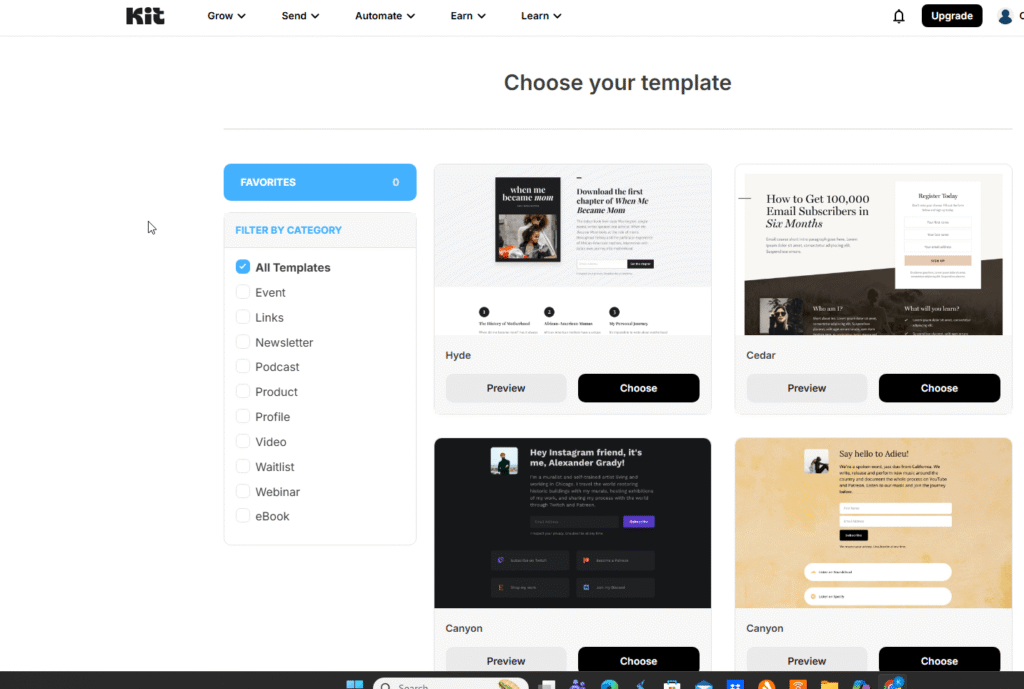
53 landing page templates total. Clean designs. Professional looking.
But here’s what I notice: These are SHORT pages. Like, really short.
They’re designed to capture emails fast – not to make a pitch or tell a story. Minimal content area. Just headline, subhead, form, done.
Compare this to Systeme.io’s funnel templates which have more content blocks for actual selling.
Forms – Kit’s Killer Feature:
Kit offers 4 different form types:
- Modal (popup)
- Slide-in (corner popup)
- Inline (embedded in page)
- Sticky (banner at top/bottom of page)
Each type has 9 different variants (except sticky, which is just a banner).
Real talk: Just the access to these forms on the FREE plan would be a killer tool for building an email list. This alone might make Kit worth keeping around.
SEND Menu:
- Broadcasts (one-time email blasts)
- Sequences (automated email series)
- Email Templates (this is where Kit impressed me)
- Snippets (reusable email blocks)
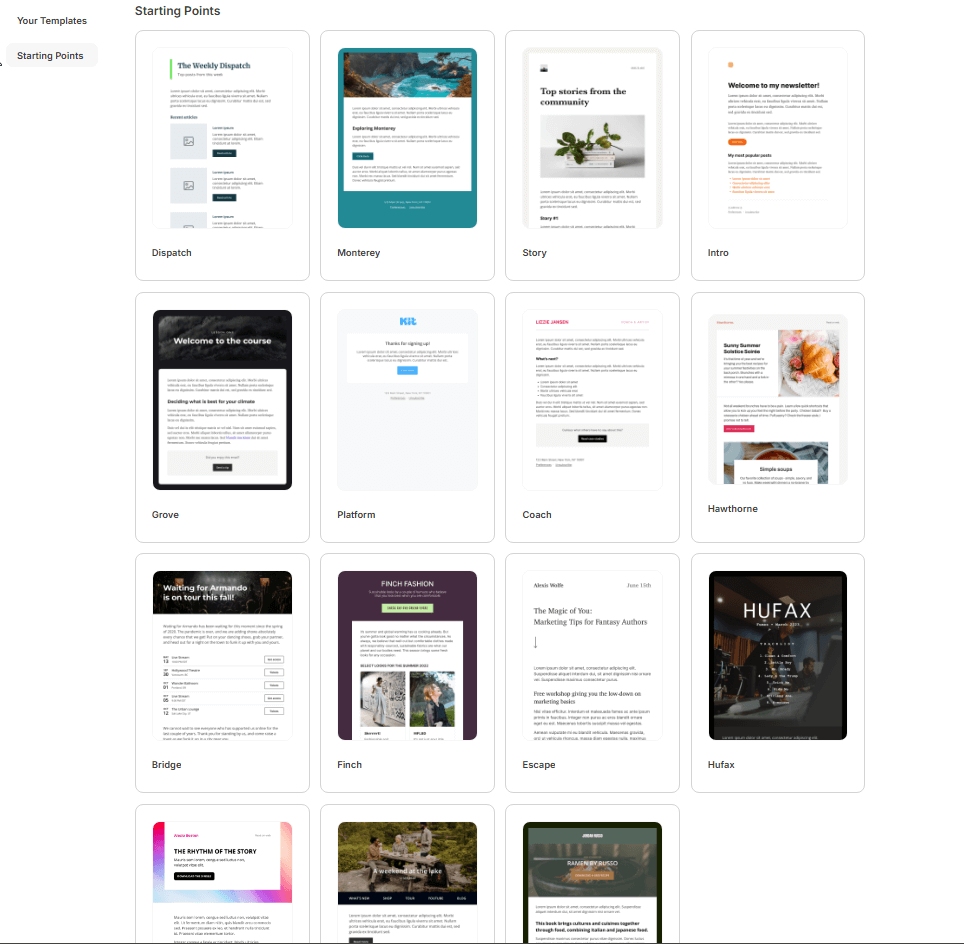
The email templates are gorgeous. Modern designs. Way better than Systeme.io’s plain editor.
But here’s my question: How much does pretty email design matter when you have <1,000 subscribers and $0 revenue? Maybe. I don’t know yet.
AUTOMATE Menu:
Free plan gets 1 visual automation. The editor looks clean, but honestly, I got confused by all the terminology (triggers, sequences, actions, tags). Systeme.io calls similar features by different names, so it took me a minute to understand this is just email workflow logic.
EARN Menu:
This section surprised me. You can create products with recurring subscriptions on the free plan.
That’s actually really cool if you’re building a web app or membership site. Might be easier than setting up subscriptions through WordPress plugins.
You can also accept tips? (Weird feature, but okay.)
LEARN Menu:
Documentation looks robust. Lots of videos. Good for beginners who need hand-holding.
The Test: Building My Landing Page (10:11 AM – 10:55 AM)
Alright, enough exploring. Let’s build.
I have my copy ready (similar copy I used for Systeme.io). I want to create:
- Landing page with lead magnet offer
- Thank you page
- 6-email sequence
Starting time: 10:11 AM
I pick a template. Start customizing.
The editor is intuitive. Drag and drop works well. I can change text, colors, images pretty easily.
But here’s the problem: The templates are SHORT. I’m struggling to make a proper sales landing page because there’s just not enough content blocks.
These templates are designed for “Enter your email to get the freebie” – not “Here’s why this freebie will change your life.”
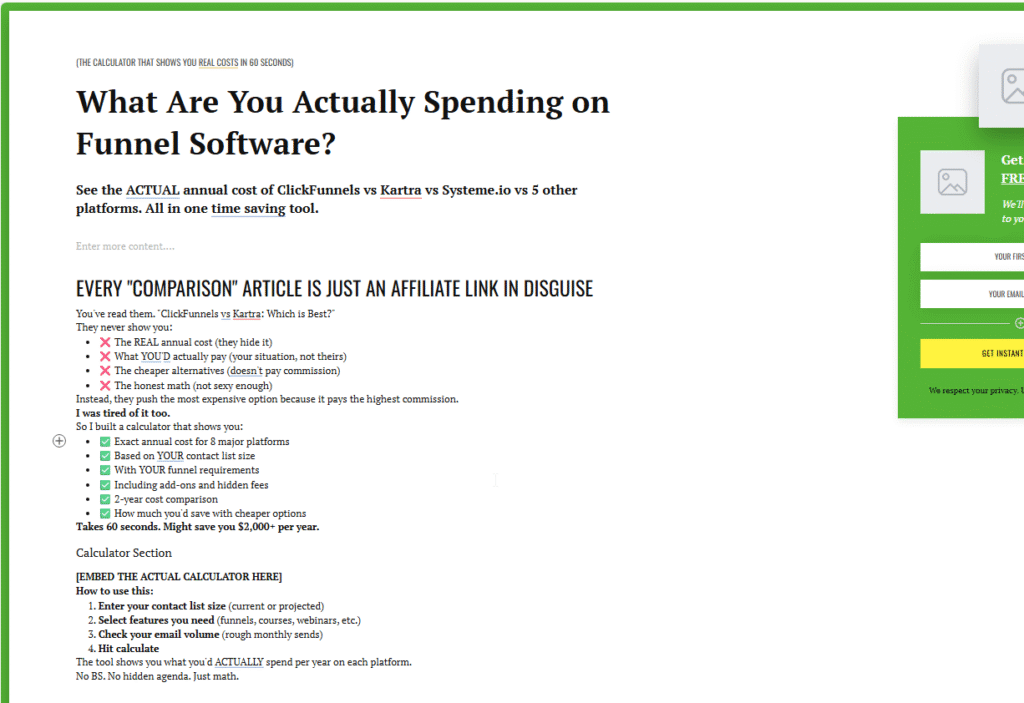
10:40 AM – The Crossroads:
I’m 30 minutes in and I hit a wall.
Kit’s interface is super easy to use for forms and email capture. But I’m struggling with building a longer landing page.
My options:
- Just create a form in Kit and embed it on my WordPress site
- Keep trying to force Kit’s short templates to work for my longer copy
- Switch to Systeme.io’s more robust funnel templates
I decide to push through. Let’s finish this.
10:55 AM – Landing page done.
Total time: 44 minutes.
Honest assessment: Pretty easy to work with, but the editor got finicky. One quote block refused to delete, so I had to either incorporate it into the design or start over with a new template
Not as flexible as Systeme.io, but for straight-out-of-the-box forms and quick pages? Not bad for FREE.
Now, let’s connect the email sequence.
Building the Email Sequence (11:00 AM – 11:24 AM)
I click into Sequences. Time to build my 6-email welcome series.
Starting timer: 11:00 AM
The sequence builder is… actually really intuitive once I figured out you add emails on the right-hand side.
I copy/paste my pre-written emails. Edit. Format. Add links.
11:24 AM – Done.
Six emails. Fully written. Ready to go.
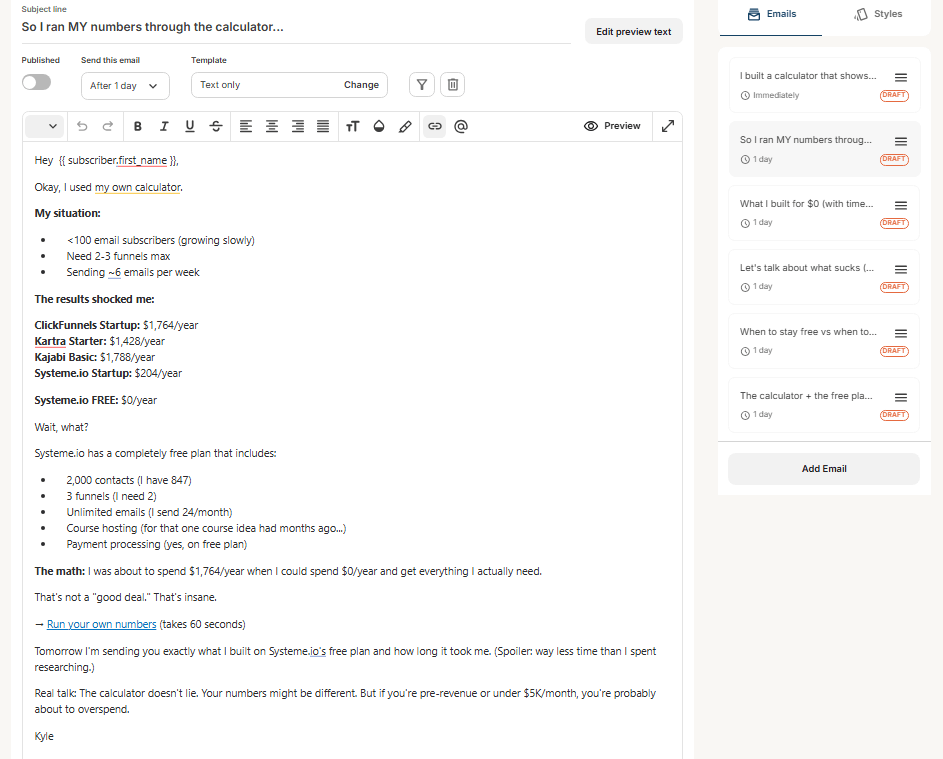
Total time: 24 minutes.
Kit really DOES excel at email. The editor is clean. The sequence logic makes sense. This is what Kit was built for.
Now I just need to verify my email so I can actually send these emails.
The Lockout: Where Everything Falls Apart (11:24 AM – 11:39 AM)
Here’s where the wheels fall off.
I see the dreaded message: “You can’t send emails until we verify your email address.”
Okay, fine. Every platform does this. Let me verify.
I go to Settings → Verify Email
I wait…..and wait some more. No email.
I refresh my primary inbox and check promotions…cickets
I think: “there’s no way an EMAIL marketing platform would have THEIR emails sent to spam (the blackhole for email)
I click my spam folder…
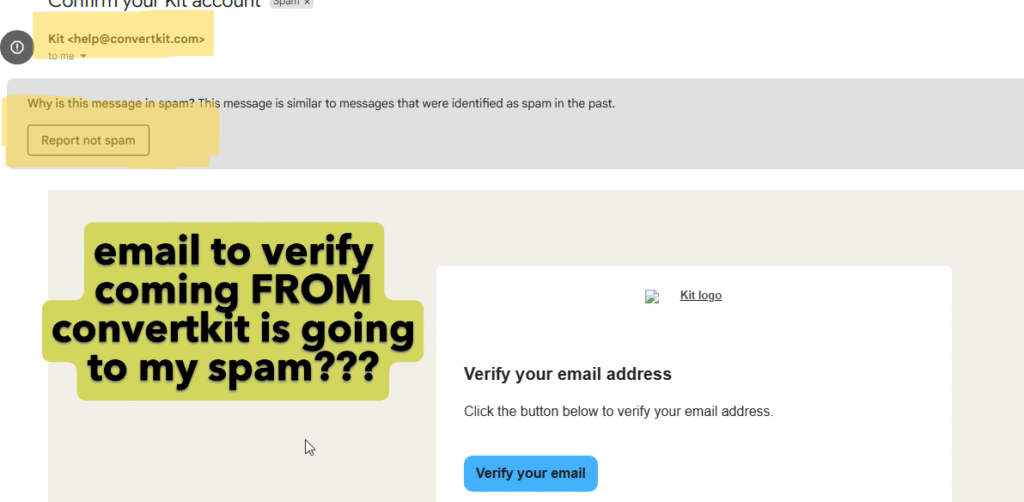
And there it is. Yikes. Not a great look to have THEIR emails filter to spam. I assume anything I send from their platform would be classified as well? Maybe im’ missing something….
I hit ‘Verify’.
I immediately get a warning: “Free email accounts (like Gmail) aren’t great for email deliverability.”
Thanks for the heads up, but I’d like to test this myself.
I go back to my sequence to publish it live.
I get to Email #5 and…
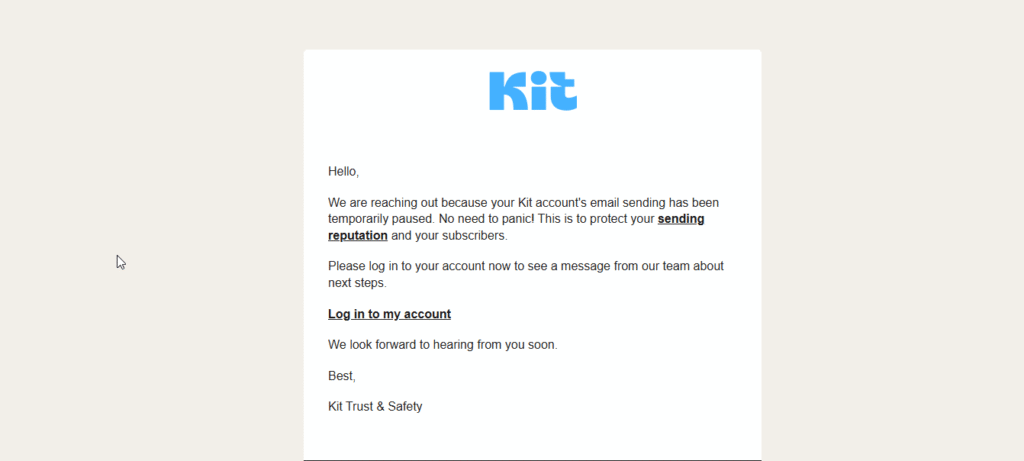
“Your account has been locked in order to protect your email reputation.”
WHAT.
I haven’t sent a SINGLE email yet. I just built the sequence.
Now my account is locked. The message says “Don’t panic. Log into your account to see a message from our team.”
What message? I can’t find it.
I spend the next 15 minutes searching through settings, help docs, trying to figure out what’s happening.
Frustration level: Hair-pulling.
11:39 AM – I give up.
The AI Assistant: Adding Insult to Injury
Right as I’m about to close my laptop, I get an email.
It’s from an AI assistant.
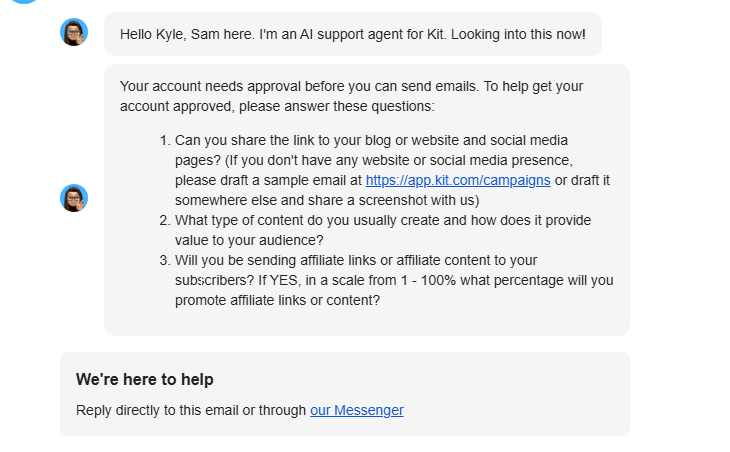
It’s asking me THE SAME QUESTIONS from the onboarding:
- What is your website?
- How are you going to use Kit?
- Are you an affiliate?
I already answered these. During the 20-question onboarding quiz.
This is the moment I put a fork in it.
Time spent on Kit: 1 hour, 39 minutes
Result: Account locked by an AI assistant before I could send a single email
Frustration level: Black
Round 2: Systeme.io Free Plan (12:07 PM – 1:04 PM)
Deep breath. Let’s try Systeme.io.
I’m already familiar with this platform from my previous test, but I want to see how long it takes to build ta comparable landing page to test build times.

First Impressions: Less Flash, More Function
The Systeme.io dashboard is… empty. Just a graph of new leads and a menu.
After using Kit’s polished interface, Systeme.io feels plain. Almost boring.
But here’s the thing: For someone just starting out or trying to move fast, this simplicity is a HUGE plus.
No AI assistants popping up. No 20-question onboarding. No “Get Started” guides blocking your view.
Just a menu:
- Dashboard
- CRM
- Sites
- Emails
- SMS
- Automations
- Assets
- Sales
- Help
Clean. Simple. I know exactly where to go.
Building the Landing Page (12:07 PM – 1:04 PM)
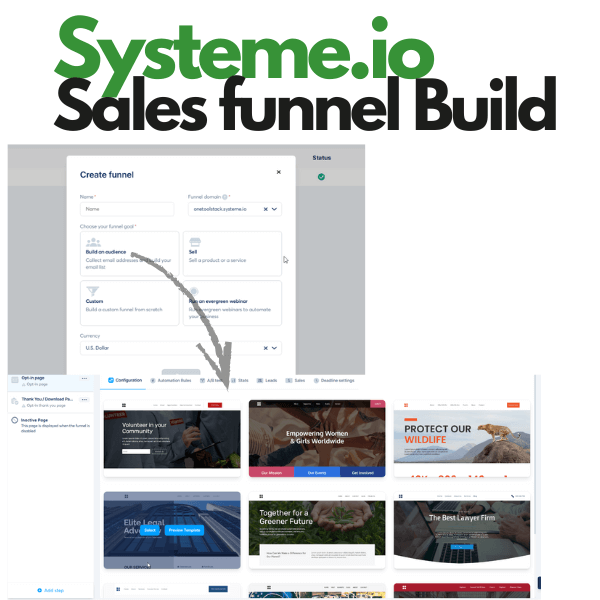
I click into Sites→ Create Funnel
90+ templates to choose from
Not just landing pages – full FUNNELS:
- Lead magnet funnels
- Sales funnels
- Webinar funnels
- Course launch funnels
- Product launch funnels
These templates are BUILT for selling, not just capturing emails.
I pick one that matches my aesthetic. Start editing.
The editor:
- Drag and drop (like Kit)
- More content blocks available
- Easier to build longer sales pages with storytelling
I’m moving faster than I did in Kit. The template already has the structure I need. I’m just swapping in my copy.
1:04 PM – Done.
Total time: 57 minutes.
Much longer landing page than kit and similar build times.
And the page looks better (in my opinion – more content, better storytelling).
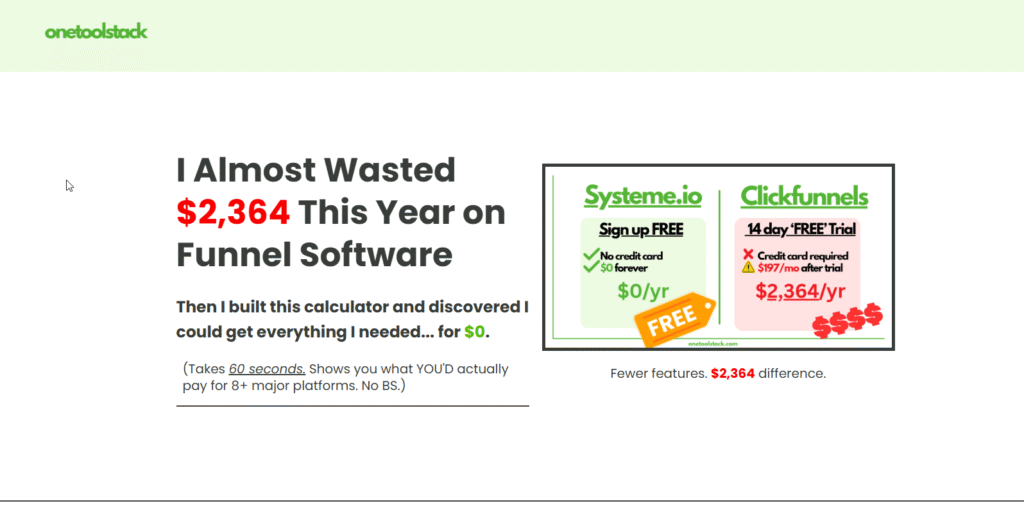
Setting Up the Email Campaign (Estimated: 20 Minutes)
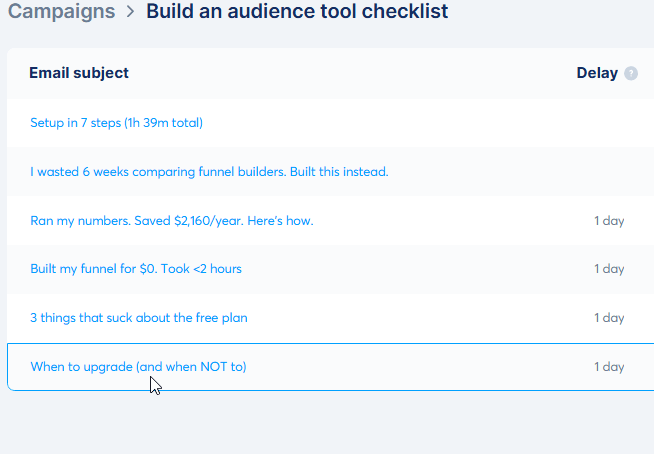
Based on my previous Systeme.io test, I know the email campaign setup takes about 20 minutes.
The process:
- Create a new campaign
- Add 6 emails to the sequence
- Set the automation rules (when someone opts in, start this sequence)
Systeme.io’s email editor is more basic than Kit’s (no fancy templates), but it WORKS.
And most importantly: No account lockout.
The only barrier: Email verification can take a few days (DNS verification – not Systeme.io’s fault, this is standard).
But Systeme.io’s support documentation is EVERYWHERE. They even offer to verify it FOR you for free.
Compare that to Kit’s AI assistant locking my account.
The Final Verdict: Time, Frustration, and Results
Let me break down what actually happened:
ConvertKit (Kit) Free Plan:
⏱️ Time spent: 1 hour, 39 minutes
✅ What I built: Landing page, thank you page, 6-email sequence
❌ Result: Account locked before I could send a single email
😤 Frustration level: Black (hair-pulling)
What I liked:
- Beautiful landing page templates
- 4 different form types (modal, slide-in, inline, sticky)
- Best-in-class email editor with gorgeous templates
- Clean sequence builder
- Recurring subscription product feature on FREE plan
What frustrated me:
- 20-question onboarding quiz
- Landing page templates too short for longer sales copy
- Account locked by AI assistant
- AI assistant emailed me THE SAME questions from onboarding
- Zero ability to actually test my funnel
Best for: Email capture and list building (IF you can get past the gatekeepers). If you just need beautiful forms to embed on an existing website, Kit’s free plan is solid.
Systeme.io Free Plan:
⏱️ Time spent: 57 minutes (landing page only, but I know the full setup is ~2 hours total)
✅ What I built: Full sales funnel with landing page, thank you page, 6-email sequence
✅ Result: LIVE and working (after 2-day email verification)
😌 Frustration level: Low
What I liked:
- 90+ funnel templates (not just landing pages)
- More content blocks for storytelling
- No onboarding quiz or AI gatekeepers
- Clean, simple interface
- Email verification clearly explained with support links
- Systeme.io team offers to verify FOR you for free
What was less polished:
- Email editor is basic (no fancy templates like Kit)
- Interface feels plain compared to Kit’s polish
- Form embedding isn’t as intuitive as Kit
Best for: Testing complete business ideas fast. If you need a landing page + email sequence + course hosting + blog + store in one platform, Systeme.io wins.
Who Should Use ConvertKit vs Systeme.io?
Choose ConvertKit (Kit) IF:
✅ You already have a website (WordPress, Squarespace, etc.)
✅ Your main goal is building an email list through beautiful forms
✅ You want the best-looking email templates available
✅ You’re willing to jump through onboarding hoops
✅ You’re okay with potential account restrictions while they verify you’re not a spammer
✅ You plan to embed forms on an existing site (Kit’s forms are genuinely great for this)
Use case: You’re a blogger with an established WordPress site. You just need email marketing and form tools. You’re patient with onboarding processes.
Choose Systeme.io IF:
✅ You’re at $0 revenue and need to test fast
✅ You want an all-in-one platform (no juggling 5 different tools)
✅ You need sales funnels, not just email capture
✅ You plan to host courses or create membership sites
✅ You want to build a complete business on one platform
✅ You value speed over polish
✅ You don’t want AI gatekeepers blocking your progress
Use case: You’re a solopreneur testing a business idea. Every hour counts. You need to get live fast with minimal friction.
My Honest Recommendation: What I’m Actually Using
After this test, here’s what I’m doing:
Primary platform: Systeme.io
Why? Because it actually works. I can build a complete sales funnel, set up email sequences, host courses, run a blog, and manage affiliates – all in one place. And I can test all of this for FREE.
The email verification took 2 days, but once that was done, I had a testable business in 72 hours (less than 2 hours of actual work).
Possible exception: I might keep Kit just for forms.
Kit’s form builder is genuinely excellent. If I can’t figure out how to easily embed Systeme.io forms on other sites, I might use Kit for lead capture and then use Zapier to migrate that list to Systeme.io for all automations.
But that defeats the “OneToolStack” principle I’m going for.
The Bottom Line: Speed to Testing Matters
If you’re at $0 revenue, here’s what matters most:
Can you test your business idea THIS WEEK?
ConvertKit looks prettier. The emails are more beautiful. The interface is more polished.
But none of that matters if you can’t actually SEND emails because an AI assistant locked your account.
Systeme.io covers 90% (maybe more) of what you need. The interface is plain. The email editor is basic. But it WORKS.
And when you’re broke and trying to validate an idea, “works” beats “pretty” every single time.
SYSTEME.IO: ✅ Live funnel in <2 hours ✅ 2,000 contacts free ✅ All-in-one platform ⏱️ Time to first test: 72 hours
vs
CONVERTKIT: ❌ Account locked ✅ Beautiful emails & forms ✅ 10,000 contacts free ⏱️ Time to first test: ???
Try It Yourself: My Testing Challenge
Want to see which platform works better for YOUR needs?
Here’s what I recommend:
Week 1: Test Systeme.io
- Sign up (2 minutes)
- Pick a funnel template (5 minutes)
- Build a landing page (1 hour)
- Set up a 3-email sequence (20 minutes)
- Submit email verification
- Total time invested: ~90 minutes
Week 2: While waiting for Systeme.io email verification, test ConvertKit
- Sign up (be ready for onboarding questions)
- Build a landing page
- Create an email sequence
- See if you hit any account restrictions
Compare:
- Which was faster?
- Which was less frustrating?
- Which actually got you LIVE?
Then pick the one that works.
Frequently Asked Questions
Technically yes. You could use Kit for form building and lead capture, then use Zapier to send those leads to Systeme.io for email sequences and funnel management. But that defeats the purpose of having ONE tool stack.
Yes, up to 1,000 subscribers. But you may face account restrictions during onboarding/verification.
It can take up to 2 days for DNS verification. This is standard across all email platforms, not specific to Systeme.io.
Yes. Kit’s paid plans start at $39/month. Systeme.io’s paid plans start at $17/month.
No. Kit is email marketing focused. Systeme.io includes course hosting on the free plan.
Final Thoughts: No Tool Is Perfect
Look, I’m not saying Systeme.io is perfect. The email editor could be better. The interface could be prettier. Form embedding could be more intuitive.
But here’s what matters:
I wanted to test a business idea fast.
Systeme.io got me live in under 2 hours.
Kit locked me out before I could send a single email.
That’s the difference.
When you’re a solopreneur at $0 revenue, every hour counts. You could be marketing your product. Instead, you’re dealing with AI assistants asking you the same questions over and over.
No thanks.
I’ll stick with the tool that actually works.
Ready to Test for Yourself?
Systeme.io Free Plan: Free Sales Funnel → Go
- 2,000 contacts free
- Unlimited email sends
- 3 sales funnels
- 1 course
- 1 blog
- No credit card required
ConvertKit (Kit) Free Plan: kit.com
- 10,000 contacts free
- Unlimited email sends
- 1 visual automation
- Landing pages & forms
- No credit card required (but be ready for onboarding questions)
Pro tip: Start with Systeme.io if you’re trying to test fast. Start with Kit if you’re a patient person who already has a website and just needs email marketing.